
Blogue
Por que a tinta plastisol fica pegajosa após a cura (Guia de Solução Rápida)

Índice
Você conhece essa sensação. Você passou três horas gravando as telas. Misturou o tom perfeito de azul-marinho. Estampou 50 camisetas e elas ficaram lindas. Mas aí você toca na tinta. Está pegajosa. Grudenta. Parece um adesivo meio seco que simplesmente não descola.
Eu já passei por isso. Lembro-me da minha primeira grande encomenda para uma academia local. Achava que era profissional, mas todas as camisetas voltaram uma semana depois. A tinta tinha literalmente grudado nela mesma dentro das mochilas dos clientes. Foi um desastre e perdi muito dinheiro.
No Shaliteink, Conversamos diariamente com gráficas que enfrentam exatamente esse pesadelo "pegajoso". Se o seu Tinta Plastisol Se a peça ficar pegajosa depois de sair da secadora, não é apenas um pequeno incômodo. É um sinal de que a impressão está com defeito.
Neste guia, vou mostrar exatamente por que isso acontece e como resolver o problema rapidamente. Sem enrolação. Apenas os segredos conquistados com muito esforço na linha de produção.
A ciência "pegajosa": o que realmente está acontecendo?
A tinta plastisol é uma coisa estranha. Ela não seca como a tinta das paredes da sua casa. A tinta para paredes seca quando a água ou o solvente evaporam no ar.
A tinta plastisol Shaliteink é diferente. Ela é feita de resina de PVC e plastificante. Permanece líquida indefinidamente até atingir uma temperatura específica. Essa temperatura geralmente fica em torno de 160°C (320°F).
Quando a tinta atinge essa temperatura, a resina "absorve" o plastificante. Eles se fundem para criar uma película plástica sólida. Se a tinta continuar pegajosa, significa que essa fusão não ocorreu. A resina ainda está lá, absorvendo o plastificante, e ele permanece na superfície. Essa é a sensação de aderência que você percebe.
O Ponto de Fusão
O efeito de cura da tinta depende do tempo e da temperatura. Não basta que o aquecedor esteja quente. A própria tinta precisa atingir a temperatura mágica de 160°C (320°F), desde a superfície da impressão até o tecido.
Por que sua tinta ainda está pegajosa (os 4 principais culpados)
Após anos de resolução de problemas, descobri que a causa de 90% dos problemas de tinta pegajosa reside nestes quatro erros.
1. Você está confiando demais na sua secadora.
Sua secadora de esteira tem um visor digital. Ele marca 330°F (165°C). Você pensa que está seguro, mas não está. Esse sensor mede a temperatura do ar perto dos elementos de aquecimento e não informa o que está acontecendo na camisa.
- O problema: O "tempo de exposição" (quanto tempo a camisa fica no calor) é muito curto.
- A solução: Você precisa de uma sonda em formato de rosca ou, no mínimo, de um termômetro a laser. Mas tenha cuidado com os termômetros a laser. Eles só medem a superfície.
2. A parede de “tinta espessa”
Ao imprimir com tinta plastisol para serigrafia de alta densidade, você estará aplicando uma quantidade enorme de tinta.
- O problema: O calor atinge a superfície da tinta e forma uma película. A superfície fica seca ao toque, mas a parte inferior permanece líquida.
- A solução: Você precisa diminuir a velocidade da sua correia. A tinta espessa precisa de mais tempo para que o calor a penetre, assim como um bife grosso na grelha.
3. A umidade está roubando seu calor.
Este é o "assassino silencioso" da serigrafia. Camisetas de algodão retêm água. Em um dia úmido, uma camiseta pode reter até 10% do seu peso em umidade.
- O problema: Quando a camisa entra na secadora, o calor utiliza toda a sua energia para transformar a água em vapor. A tinta só começa a secar depois que a água evapora.
- A solução: Coloque suas camisas na secadora. antes imprimindo ou usando uma unidade de flash para "pré-encolher" e secar a peça.
4. Tintas Refletivas
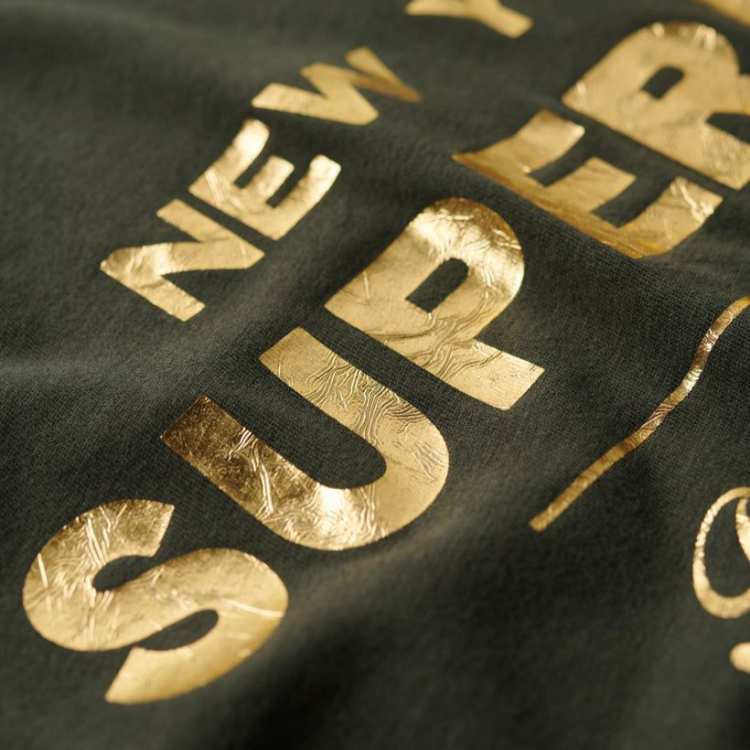
Você já reparou que a tinta plastisol dourada para serigrafia permanece pegajosa por mais tempo do que a tinta preta?
- O problema: Flocos metálicos em Tinta de serigrafia metálica Refletir o calor infravermelho para longe da impressão.
- A solução: Aumente a temperatura em 10 a 15 graus ao usar tintas metálicas ou brilhantes.
Análise dos dados: Temperatura versus sucesso na cura
Realizei um teste em nosso laboratório usando tinta de serigrafia branca sem PVC NB em uma camiseta de algodão pesado 100%. Aqui estão os resultados que obtivemos em relação à aderência e à resistência à lavagem.
| Temperatura (Superfície da tinta) | Tempo de permanência | Resultado | Teste de lavagem (5 ciclos) |
| 280°F | 30 segundos | Muito pegajoso | 80% Perda de tinta (descascamento) |
| 300°F | 30 segundos | Ligeiramente brega | Rachaduras e desbotamento |
| 320°F | 40 segundos | Seco/Liso | Perfeito (Sem Perda) |
| 350°F | 60 segundos | Frágil/Duro | Pequenas fissuras (cura excessiva) |
Como resolver esse problema complicado agora mesmo
Se você tem uma pilha de camisetas pegajosas, não as jogue fora. Geralmente, é possível salvá-las.
A Segunda Passagem
Coloque as camisetas de volta na esteira. Diminua a velocidade da esteira em 20%. Essa "imersão" extra no calor geralmente finaliza o processo de fusão. Já economizei milhares de dólares em "erros" simplesmente dando à tinta uma segunda chance de atingir o ponto de fusão.
O Teste de Alongamento
Essa é a maneira mais fácil de saber se você está curado.
- Deixe a impressão esfriar completamente. (A tinta fica sempre um pouco mais mole quando está quente).
- Pegue a impressão e estique-a cerca de 50%.
- Observe com atenção. Ela racha como um deserto seco? Ou estica como um elástico e volta ao normal?
- Se rachar, significa que não curou o suficiente. Vai ficar pegajoso e não vai funcionar na lavagem.
Use a tinta correta
Às vezes, o problema está na tinta. Tintas antigas ou baratas podem perder o equilíbrio de plastificantes. Eu sempre recomendo usar uma Tinta Plastisol sem PVC Porque tendem a ter uma "janela de cura" mais estável.“
Para impressoras que lidam com o problema de "sangramento" em poliéster, sugiro a tinta plastisol antimigração para serigrafia. Ela cura a uma temperatura mais baixa, o que ajuda a evitar que os corantes do tecido manchem a tinta branca de rosa.
Dica profissional: Gerenciando a quantidade de malhas
A malha da sua tela influencia a quantidade de tinta aplicada. Mais tinta significa que é necessário mais calor. Use esta tabela como referência rápida para sua loja de tintas para serigrafia.
| Contagem de malha | Depósito de tinta | Ideal para | Curando Dificuldade |
| 86 – 110 | Muito espesso | Tinta para Serigrafia Puff | Alto |
| 156 – 160 | Médio | Tinta Plastisol CMYK | Moderado |
| 230 – 305 | Afinar | Detalhes finos / Toque suave | Baixo |
Estudo de Caso: O Pesadelo Vermelho “Pegajoso”
No mês passado, um cliente comprou nossa tinta vermelha para serigrafia NB sem PVC. Ele me ligou gritando que a tinta estava "com defeito" porque ainda estava pegajosa depois de duas passagens pela secadora.
Visitei a loja dele. Analisamos a secadora com um mapa de calor. Encontramos um "ponto frio" no meio do elemento de aquecimento. As camisas no centro da esteira atingiam apenas 290°F (143°C), enquanto as das bordas chegavam a 330°F (166°C).
Substituímos o componente e a tinta "defeituosa" passou a funcionar perfeitamente. Lição: Sempre culpe seu equipamento antes de culpar sua tinta.
Minha lista de verificação para uma cura perfeita
- Aqueça a secadora: Deixe correr por 20 minutos antes de colocar a primeira camisa.
- Verifique o “Tempo de permanência”: Certifique-se de que a camisa fique exposta ao calor por pelo menos 45 segundos.
- Monitore a temperatura da tinta: Use tiras de temperatura (elas são baratas e precisas).
- Teste a primeira camisa: Faça um teste de elasticidade e uma lavagem rápida na pia antes de imprimir todo o pedido de 500 peças.
- Utilize materiais de qualidade: Não se contente com tinta de procedência duvidosa. Opte por uma loja de tinta plastisol confiável.
Perguntas frequentes: Resolva suas situações complicadas
Q1. Por que minha tinta está pegajosa, mas não racha quando a estico?
Você pode ter usado muito "Redutor" ou "Aditivo para Toque Suave". Se adicionar mais do que o aditivo 10% à sua tinta serigráfica plastisol padrão, isso pode deixar um resíduo oleoso na superfície, que fica pegajoso mesmo depois de curado.
Q2. Posso usar uma prensa térmica para corrigir tinta pegajosa?
Sim! Uma prensa térmica é uma ótima maneira de "curar" definitivamente uma impressão. Ajuste-a para 165 °C (330 °F) e pressione por 10 a 15 segundos com leve pressão. Use uma folha de Teflon para não danificar a impressão.
Q3. A tinta expira e fica pegajosa?
A tinta plastisol tem uma vida útil muito longa, mas se ficar armazenada em um depósito quente por anos, o plastificante pode se separar. Sempre mexa bem a tinta antes de aplicá-la na tela.
Q4. Por que minha tinta plastisol prateada para serigrafia é mais pegajosa do que a tinta azul comum?
O pigmento metálico funciona como um escudo térmico. É preciso diminuir a velocidade da correia para permitir que o calor penetre no "brilho".“
Q5. A tinta adesiva é tóxica?
Se a tinta não estiver completamente curada, ela não terá aderido totalmente. Não é "tóxica" ao toque, mas pode manchar a pele ou outras roupas. Usar tinta plastisol sem ftalatos é a opção mais segura para roupas infantis.
Considerações finais
Imprimir é uma arte, mas a cura é uma ciência. Se suas impressões estiverem pegajosas, você está a poucos graus da perfeição. Não deixe que uma configuração inadequada da secadora arruine sua reputação.
Invista em boas ferramentas. Compre tinta de serigrafia de alta qualidade no atacado de um parceiro que se importa. E o mais importante: sempre faça testes.
Se você precisa de ajuda para escolher a tinta certa para o seu próximo projeto, confira nosso Kit de Tintas para Serigrafia em Camisetas. Ele tem tudo o que você precisa para começar sem complicações.
Boa impressão!
 EN
EN  DE
DE  ES
ES  PT
PT  JA
JA